
Conversation-aware coding
The conversation stays part of the code.
Follow-ups draw on saved user and Agent exchanges, selected earlier decisions, and the current source. Explain the next change in the context of what you have already built.
Meet Agent 3.3: a coding partner that connects your saved conversation to the current project, shows the work as it happens, and checks Preview before calling the next version ready. Build with managed Power AI, then publish when you choose.

New in WebCoder.codes v5.0.3
A stronger coding workflow connects what you asked for, what has changed, and what still needs checking. Agent 3.3 brings those pieces into one conversation you can keep building on.
Conversation-aware coding
Follow-ups draw on saved user and Agent exchanges, selected earlier decisions, and the current source. Explain the next change in the context of what you have already built.
Visible work
See real file, command, and test activity. A separate narrator explains discoveries and trade-offs as the Agent works, so you can follow how your app takes shape.
A connected workspace
Keep the composer, conversation, Preview, code, and tools together. On your phone, switch between Agent and App while keeping your follow-up draft.
The complete build loop
WebCoder connects model output to a persistent project, isolated runtime, PostgreSQL database, command runner, and browser Preview. The result stays available for the next instruction.
Ask for a website, dashboard, SaaS workflow, internal tool, store, or a rebuild from an existing URL in normal language.
Follow the public approach and incoming draft, then inspect actual file, command, runtime, and Preview results as the project changes.
Current runtime and browser checks establish Preview health. Review the app with code, tools, and follow-up prompts together in Agent 3.3.
Continue the same project with history-aware prompts, then deploy through a managed publishing path when the result is ready.
Why builders stay
Keep momentum without losing the thread. Saved context, real action receipts, and current Preview checks give each follow-up a firmer starting point.
Agent 3.3 combines your saved conversation and current workspace with built-in guidance for interface design and common web-security checks. Choose managed AI without configuring provider keys.
File generation is followed by runtime and browser Preview checks. Current health evidence and settled work control readiness; a completed plan alone cannot mark the app ready.
Your conversation and project identity stay saved. Automatic context compaction keeps coding context focused as the history grows, while preserving the full conversation archive.
Inspect real tool, file, command, runtime, and Preview events beside the prompt they belong to. Errors and unfinished checks remain visible so the next step has useful context.
Inside the product
Explore Agent 3.3 on desktop and phone through a sample notes project. These workspace examples demonstrate the interface with illustrative build activity.
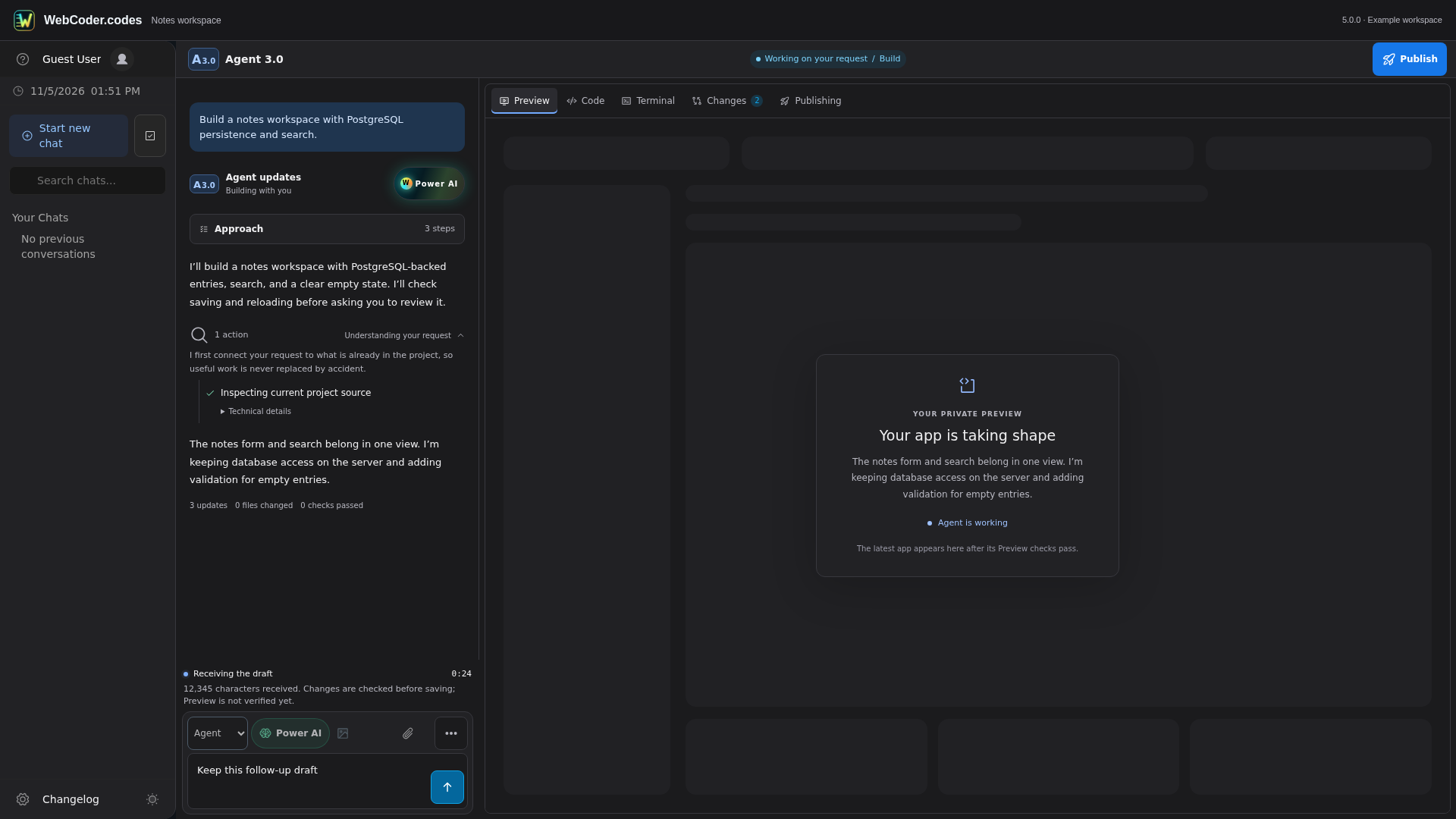
A sample notes project shows the Agent conversation, proposed approach, activity details, and Preview together. Example activity illustrates the interface, rather than a live build record.
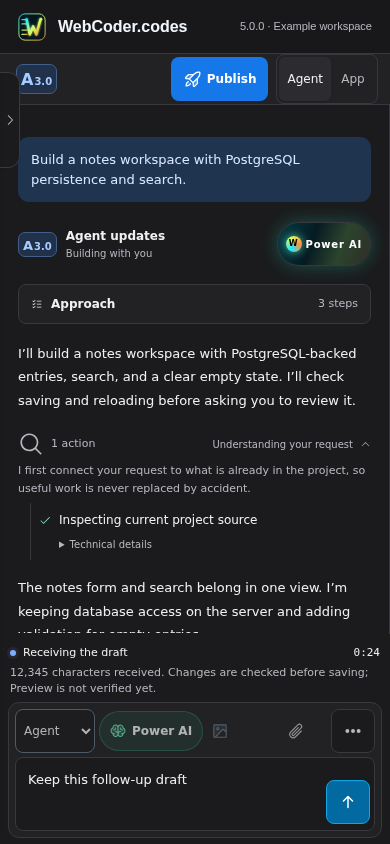
The same sample project keeps the composer close to Agent updates. Agent and App tabs switch views while preserving the follow-up draft.
Direct answers
WebCoder.codes v5.0.3 is a managed AI coding platform powered by Agent 3.3. Turn plain-English requests into web applications with real files, command execution, saved conversation, and health-verified Previews.
Agent 3.3 explains what it discovered, why a decision matters, and what it will check next. A separate progress narrator works from real execution events. Choose Beginner, Balanced, or Expert explanations and revisit updates in your saved project conversation.
No. WebCoder supplies and protects the managed Power AI provider. Personal model-provider keys are not accepted or stored.
Each FREE profile receives 20 Agent tokens per GMT+2 day, calibrated to about 15 minutes of active coding. Paid monthly packages range from 1,000 Agent tokens with Launch to 50,000 plus paid seat increments with Ultra.
Yes. Coding requests use saved conversation and current source in the selected project. Older context is summarized as it grows, while the full conversation remains archived. Summaries are selective; newer instructions and the current source take precedence. Your runtime, database, and publication identity stay with the project.
Ready requires settled work and current Preview health, including a browser render check. Files, a completed plan, or a started process alone do not establish readiness. Review the app and its important user journeys before publishing.
Your project starts here
Your private account
Your account lives on the WebCoder server and keeps projects, history, usage, and deployment access connected to you. Cloudflare stays off until you choose to publish later.